Programme call data: How do keep.eu’s programme editors edit call data?
The keep.eu platform offers a new feature through which programme editors can autonomously add, edit, and delete programme call data. This page is a guide for these users.
Register and login
To access these features, users must first be registered in keep.eu. To register, users can access the Register section through the main menu on the top right of the keep.eu website. The link to this section is https://keep.eu/register/.

After registering, users must request from the keep.eu administrators the role of programme editor for their programme. After logging in, programme editors will be able to access the new features through the ‘Kamut’ item in the main menu.

Programme call data editing
After logging in and accessing Kamut, users can access the ‘Programme call data’ section.

If users are programme editors for more than one programme, they will have to select the one they want to work on.

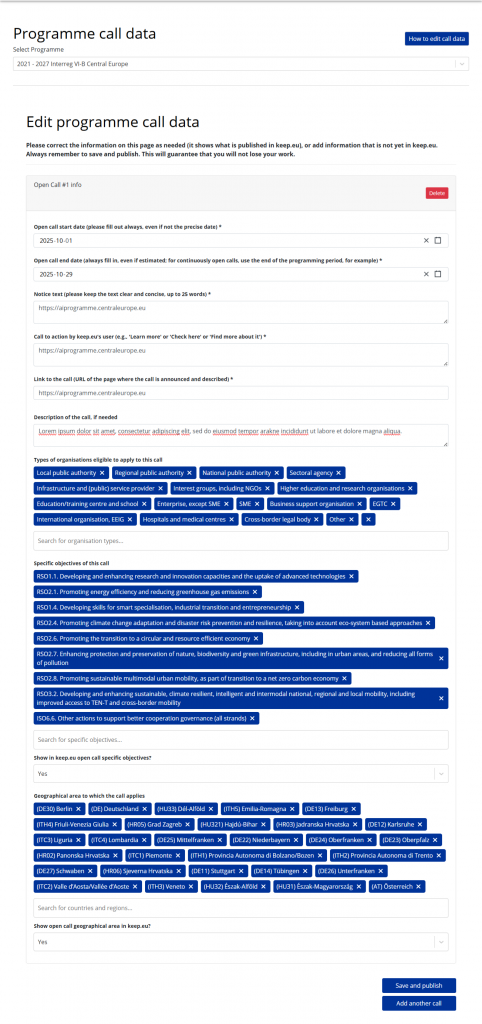
After the selection, all previously added programme call data available in keep.eu will be displayed. For each call, a numbered fieldset (for example, ‘Open call #1 info’) will be shown.
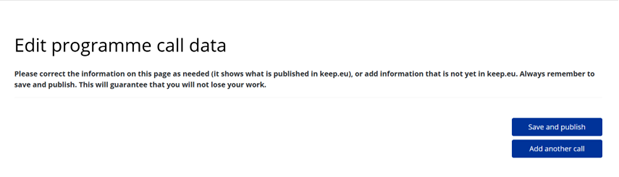
If no programme call data have been added, only the ‘Save and publish’ and ‘Add another call’ buttons will be shown.
Using the ‘Add another call’ button, a new fieldset with the programme call data to edit will be displayed.
The following fields are also required for each call:
- Open call start date
- Open call end date
- Notice text
- Call to action by keep.eu’s user
- Link to the call
The following fields are optional:
- Description of the call
- Types of organisations eligible to apply to this call: If empty, all types of organisations are eligible
- Specific objectives of this call: Default values are the specific objectives of the programme
- Show in keep.eu open call specific objectives: if true, the list of specific objectives will be shown on the Programme page of keep.eu
- Geographical area to which the call applies: Default values are the eligible geographical areas of the programme
- Show open call geographical area in keep.eu: If true, the list of eligible geographical areas will be shown on the Programme page of keep.eu
Clicking the ‘Save and publish’ button will add the new call data to keep.eu and update any existing entries.
Only ‘open calls’ are displayed on the programme page in keep.eu. A call is considered open when the current day falls between the ‘Open call start date’ and the ‘Open call end date’.
The ‘Notice text’ is used to fill the banner on the programme’s keep.eu page. For example, in the figure shown, the notice text is ‘Open call for clustering projects’. The ‘Call to action by keep.eu’s user’ is used as the label of the call-to-action button on the right side of the banner.
The ‘Link to the call’ is the page where the user lands after clicking the call-to-action button.
